Whatnot seller account
Free to sign up on Whatnot

Everything required to run your first show with Relai.
Free to sign up on Whatnot
USB connection preferred
macOS 11+, Windows 10/11, or Linux with CUPS — not Chromebook
Relai runs in Chrome — extension and web app
Silent label printing: Mac, Windows, or Linux desktop
What the end of a show looks like, with and without it.
Before
After
How it works
Install the Relai Chrome extension. Open your show in Relai, connect your thermal printer, and pick your label size. We recommend removable labels so they peel off cleanly.
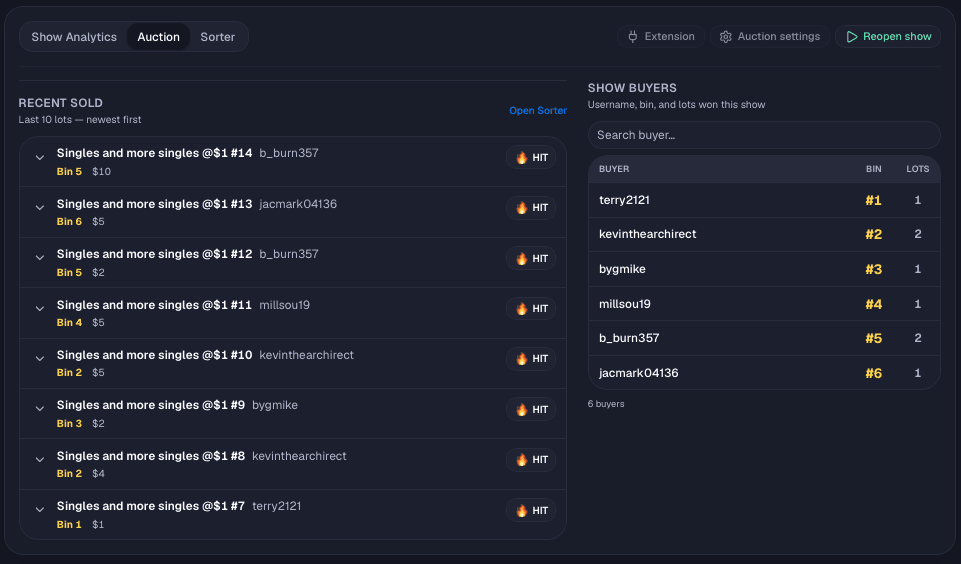
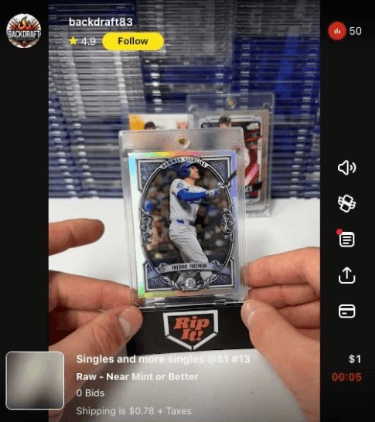
Stream from your phone or iPad as usual on a separate computer. Relai watches wins, bins buyers' wins, and prints labels automatically.
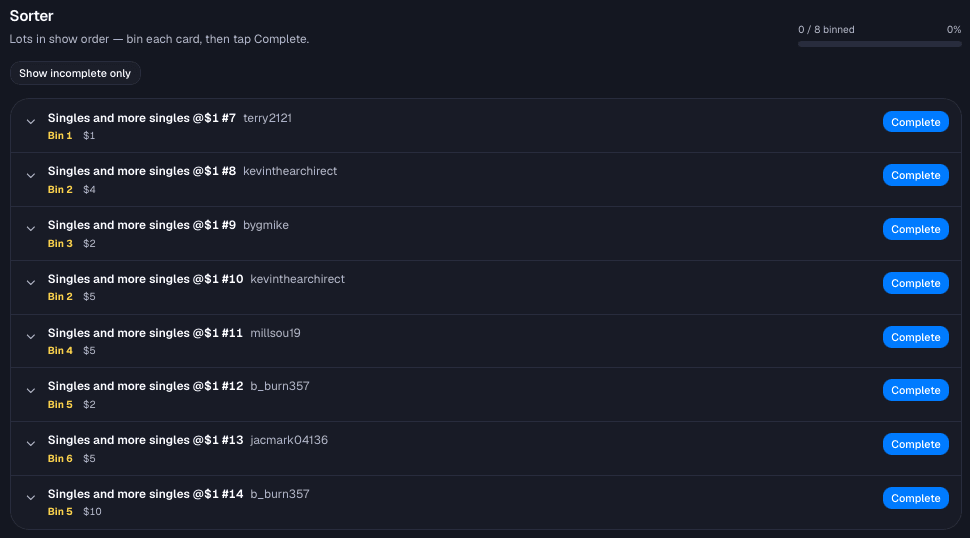
Labels print with buyer numbers. Use the Sorter page, download your after-show PDF, and ship — buyers can check the Locker Room anytime.
Live demo
When a buyer wins on stream, Relai detects it and sends the label to your printer automatically — no typing, no delay.
After the show
Relai keeps working after the last item sells. Organize, print, and pack without starting over.
Your command center — lots sold, locker room visits, and estimated time saved. See how Relai is working for your business month to month.
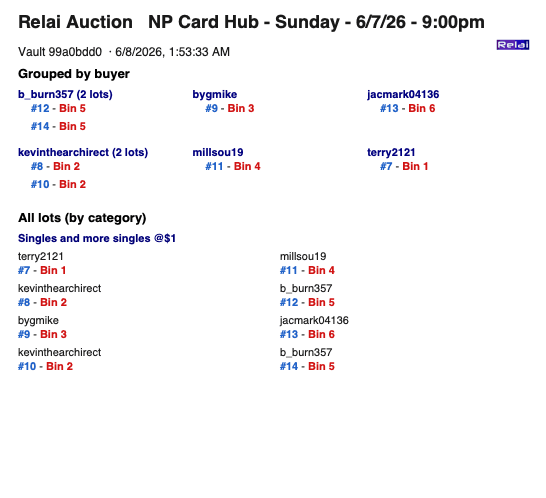
Download a printable buyer and lot summary when the show ends. Match items to buyers, fix spelling, and pack without digging through notes.
Share a link with packers on your team. Mark lots binned in real time during the show — no seller login required on the sorter screen.
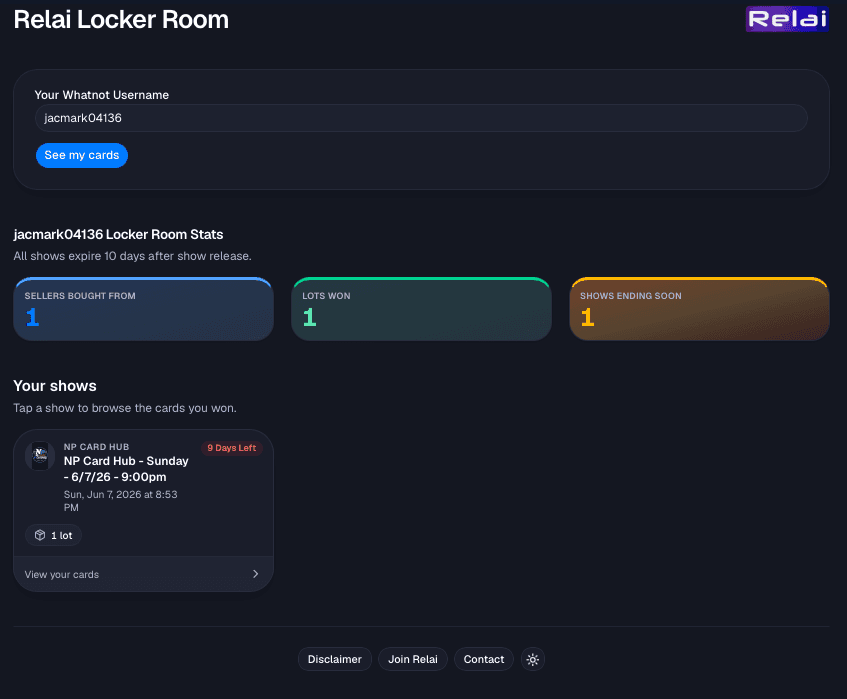
Buyer Locker Room
The feature live sellers ask for most. Buyers see their wins without waiting on DMs or tracking numbers.
Relai sends labels through your computer's standard print system on Mac, Windows, or Linux desktop — so it works with any thermal printer your computer can see.
Silent label printing: Mac, Windows, or Linux desktop
Choose the size that fits your workflow.
Compact square tags for small items.
Popular all-around size for most items.
More room for item and buyer details.
Shipping-label size — sort and ship on one label.
Choose how labels print during your stream.
Prints a label for every auction win. Each label shows the username, item name, and a badge like "Auction Win" or "Buy It Now." Best when you want to tag each item individually.
TestUser123
Mens Black Leather Jacket Size L
Prints one label per buyer on their first win of the show. Shows a large buyer number and username. The box method: stick the label on a box or bag, then toss in each item as that buyer keeps winning.
42
TestUser123
Both at once. Prints an item label for each win and a buyer label on the first win. Tag individual items and sort by buyer at the same time.
TestUser123
Mens Black Leather Jacket Size L
42
TestUser123
Everything you need to streamline your shipping process — and more that only Relai offers.
Labels print automatically when sales are detected. No manual input needed.
Each buyer gets a numbered label. Simple system to keep packages organized.
Automatically recognizes repeat buyers within a show. No duplicate bin labels.
Labels print while you focus on selling. No typing, no writing — just sell.
Capture lot photos on save. Computer vision helps flag issues before they ship.
Buyers see their wins in a dedicated gallery — builds trust and repeat business.
Printable show summary grouped by buyer. Pack faster with less guesswork.
Packing crew marks lots binned in real time with a shareable link.
Connect from anywhere. Web app in Chrome on Mac, Windows, or Linux desktop for printing.
Track lots sold, locker visits, and estimated time saved across your shows.
You sign into your selling platform inside Relai's Chrome extension, and it watches your stream. On Whatnot it picks up auction wins, giveaways, Buy It Now purchases, and accepted offers automatically. On eBay Live it picks up auction wins. Nothing extra to set up.
Yes. Sell from your phone or iPad like you normally do. Relai runs on your computer alongside your show, printing labels as buyers win.
A seller account on a supported platform (Whatnot or eBay Live in testing), a thermal label printer, a Mac, Windows, or Linux desktop computer (not Chromebook), and Google Chrome. We recommend removable labels so they peel off cleanly without leaving residue.
Google Chrome. Relai uses a Chrome extension plus the Relai web app — both require Chrome for the best experience.
Under 5 minutes. Install the Chrome extension, connect your printer, and choose your label size. You're ready to sell.
Yes. Mac requires macOS 11 or later. Windows 10 and 11 are both supported. Linux desktop (Ubuntu, Fedora, etc.) is also supported for printing. You must use Google Chrome as your web browser.
Relai Auction and Locker Room can run in Chrome on many devices, but silent automatic label printing does not work on Chromebook (Chrome OS). Chrome OS does not allow our print helper. Use a Mac, Windows PC, or Linux desktop as your show computer for printing — you can still stream from your phone or tablet.
If your computer can print to it, Relai can use it. We recommend a USB thermal printer for the best experience, but network and Bluetooth printers work too.
2×2", 2×3", 3×3", and 4×6". We recommend removable labels so they peel off cleanly.
Live on Whatnot today. eBay Live in testing, with more on the way.
Full integration with automatic auction detection and label printing
Auction win detection and label printing — currently in testing
Coming soon
Coming soon
Faster. Smarter. Easier — Relai Start with a 7-day Silver trial, or pick Bronze, Silver, or Gold. All plans include Relai Auction, Locker Room, and label printing.
Full Silver features · 300 photos · then $30/mo Bronze unless you upgrade or cancel
Run live shows without photos
$30 / month
Photos + dashboard for growing sellers
$59 / month
Volume, branding, and history
$99 / month
Cancel anytime. No per-label fees. View full pricing on Relai · Sign in